落雪音乐(洛雪音乐)LX Music,一个免费的全平台的听歌软件
LX Music(又叫落雪音乐或者洛雪音乐),是一个开源免费的听歌软件,支持windows桌面以及Linux、安卓、车机等操作系统,可以在线听各大音乐平台的音乐,并在电脑版支持下载高清音乐。
落雪(洛雪)官方网址:https:/lxmusic.toside.cn/
下载地址
桌面版
正式版:https:/github.com/lyswhut/lx-music-desktop/releases
测试版:https:/github.com/lyswhut/lx-music-desktop/actions/workflows/beta-pack.yml
移动版
正式版:https:/github.com/lyswhut/lx-music-mobile/releases
测试版:https:/github.com/lyswhut/lx-music-mobile/actions/workflows/beta-pack.yml
落雪(洛雪)音源
https://github.com/pdone/lx-music-source(这个不是音源,是音源发布地址)
https:/ghproxy.net/raw.githubusercontent.com/pdone/lx-music-source/main/juhe/latest.js
软件安装
访问上面提到的下载地址,这里以桌面正式版为例
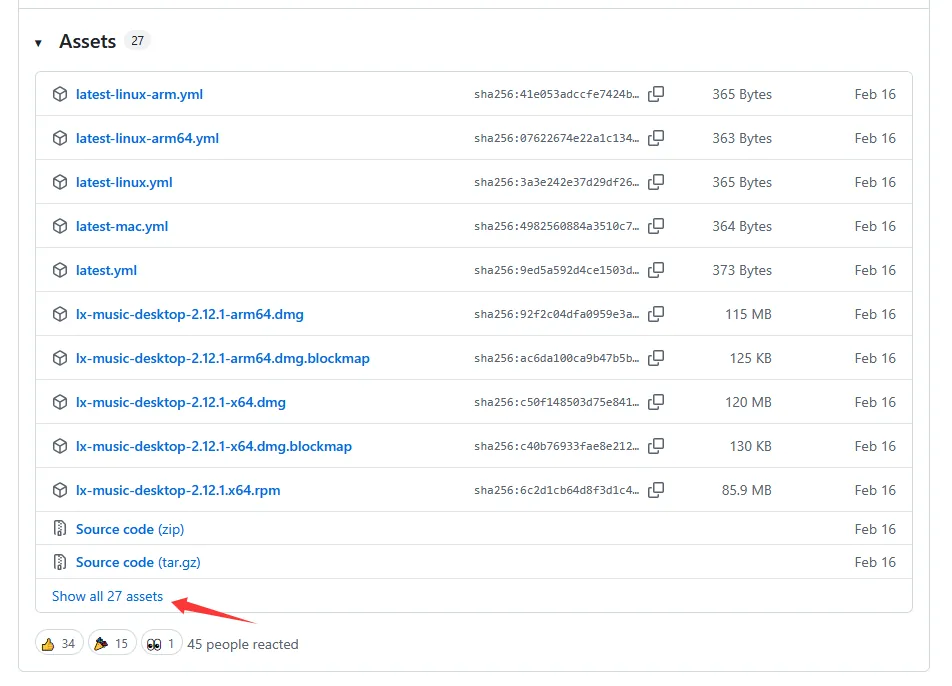
找不到相应版本,就点击下方的Show all……
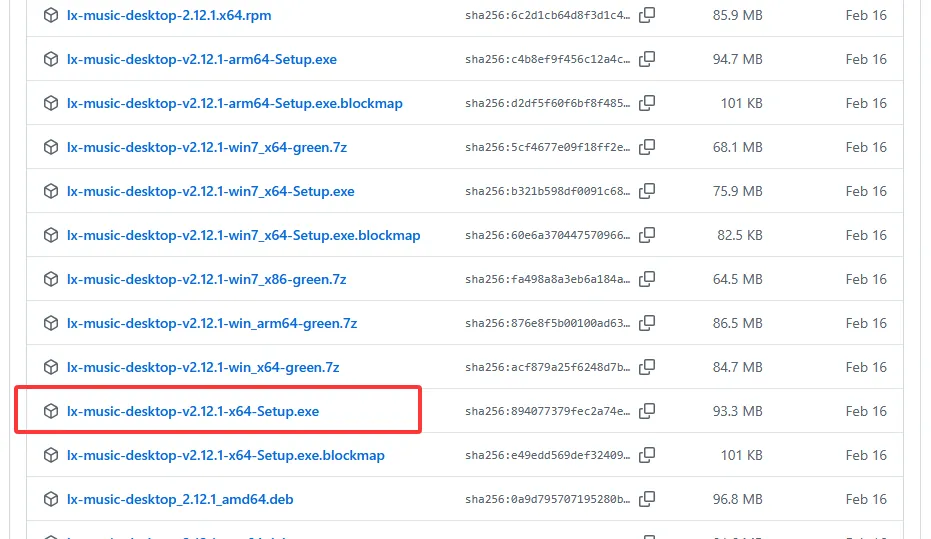
我选择的是适合Windows 10的x64安装版,也可以选择绿色免安装的版本下载。下载安装完毕之后,开始设置相关功能,音源设置是必须的,不然无法听音乐。
音源设置
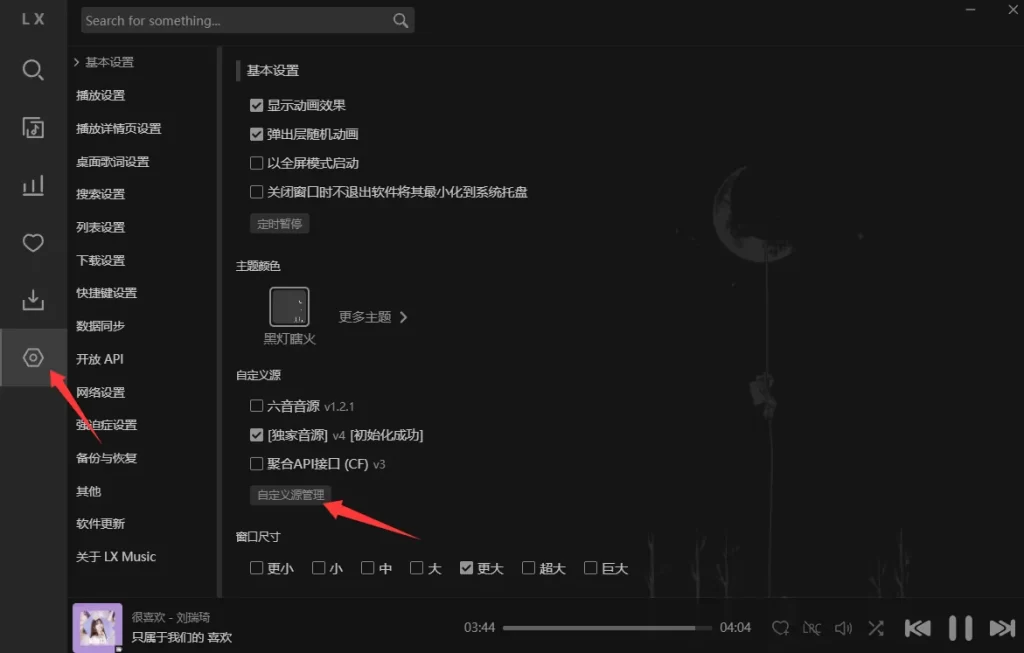
以windows电脑版为例:点击左侧菜单栏的设置图标——>基本设置——>自定义源管理
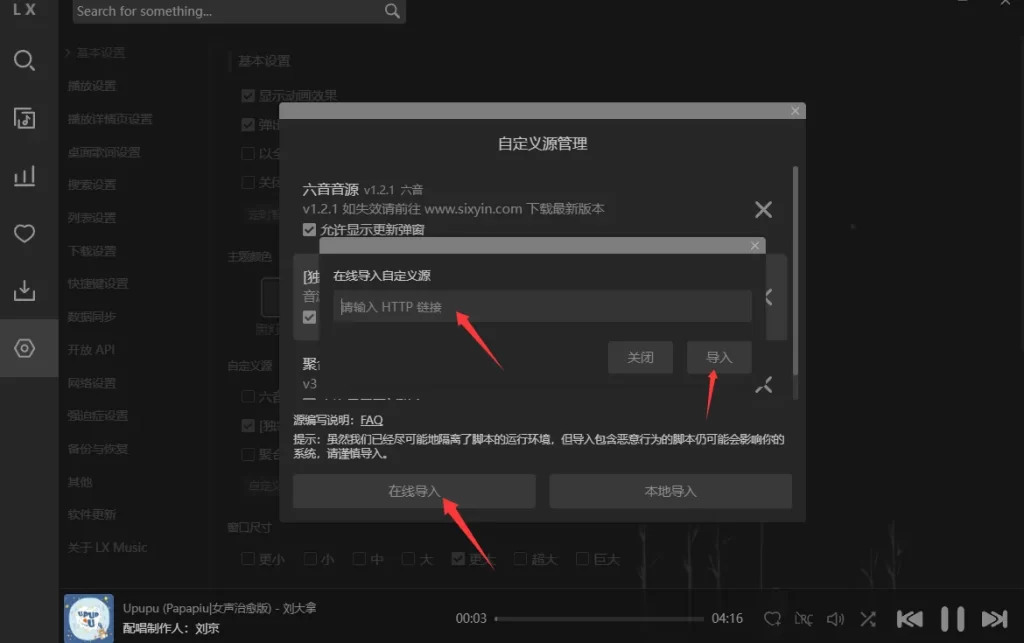
点击在线导入,然后在【在线导入自定义源】的输入框中粘贴任意一条音源地址,例如:
https:/ghproxy.net/raw.githubusercontent.com/pdone/lx-music-source/main/juhe/latest.js
点击导入,等待导入成功后,即可关闭自定义源管理的小窗口。
其他设置,可以自己探索,接下来就可以尽情的享受音乐了~